
MarketRooms · Web and browser extension
A trading community beside your chart.
Find a community around the markets you follow
A trading community gives an ongoing conversation a home. Meet a host, understand the markets they cover and explore what the community offers before joining. The community directory includes room previews and access information, so you can choose a group that fits your interests.
Hosts set free or paid access for their communities. Check each community’s membership terms before joining. You can also start with the free public trading chat rooms to discuss stocks, crypto, forex, indices and commodities.
Follow the thinking beyond the chat scroll
Our guide to exploring a trading community before joining explains how to use previews, assess the discussion format and understand access requirements.
- Follow trading ideas with a thesis, instrument, timeframe and invalidation, plus dated updates as the view develops.
- Read research with supporting charts, PDFs, videos and files, and ask questions beside the original material.
- Work through lessons, save useful resources and keep track of your learning progress.
- Discuss new content in community chat and choose which ideas and notifications you follow.
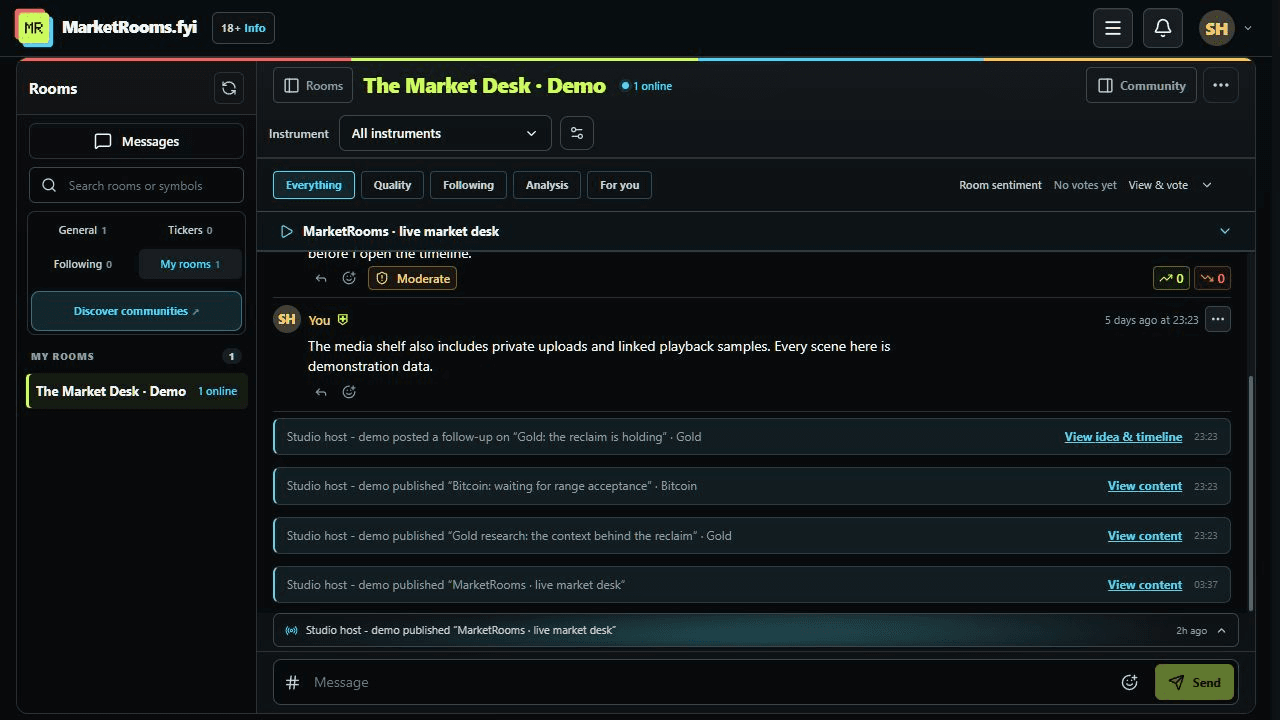
See real product screenshots or explore the member experience to understand how the conversation connects to the community’s work.
Bring your community beside your chart
Join from the web app in a modern browser, or install the free extension for Chrome, Brave, Edge or Firefox. Keep your community’s conversation beside your trading chart instead of switching between the chart and a separate chat window. Pin a community when you want to stay with your group.
The extension supports TradingView, Hyperliquid, eToro, Binance, Bybit, OKX, Kraken Pro and Coinbase Advanced. Choose your browser to install from the official extension store.
Create a trading community for your audience
Analysts, educators and market creators can bring their audience into a dedicated community with its own page, markets and moderators. Publish ideas, research, lessons and resources, prepare private drafts and keep follow-up discussions connected to the original work.
Approved creators can start with one free community. Hosts can also offer paid membership according to the available access settings. Explore MarketRooms for creators for the hosting options and to start your community.
Follow the step-by-step creator guide to set up your room, publish its page and organize member content.
Members can block, mute and report messages. Community contributions and reputation scores reflect discussion and feedback; they do not establish verified trading performance or provide financial advice.