

MarketRooms product guide
How to explore a trading community before joining
By MarketRooms · Published
Start with the conversation you want
A room discussing every market at once can feel different from a small group following one instrument. Decide what you want to discuss, when you tend to read or chat, and whether you prefer quick exchanges, written research or structured lessons.
Use the community directory to search room names, hosts and tickers. Market filters narrow the list to categories such as stocks, crypto, forex or commodities. The membership filter separates free and paid listings; it does not rate their quality.
If your immediate question is about the chart in front of you, a public trading chat room may be enough. A hosted community is useful when you want to follow the same group’s ongoing work.
Read the host’s introduction and previews
Open a community’s public page before joining. Look at its introduction, markets, host information and any examples the host has chosen to publish. A clear page should help you understand who the conversation is for and what you can expect to find.
Compare the description with the available examples. If a host emphasizes detailed research, does the preview show the reasoning and its sources? If the focus is lessons, is it clear what a lesson covers? A sample is a useful starting point, but it does not establish how often new material appears.
Public previews are selected by the host. The full chat and resources may require access to the community. A directory listing or a host’s profile is not independent verification of professional credentials or trading performance.
Look for context and follow-up
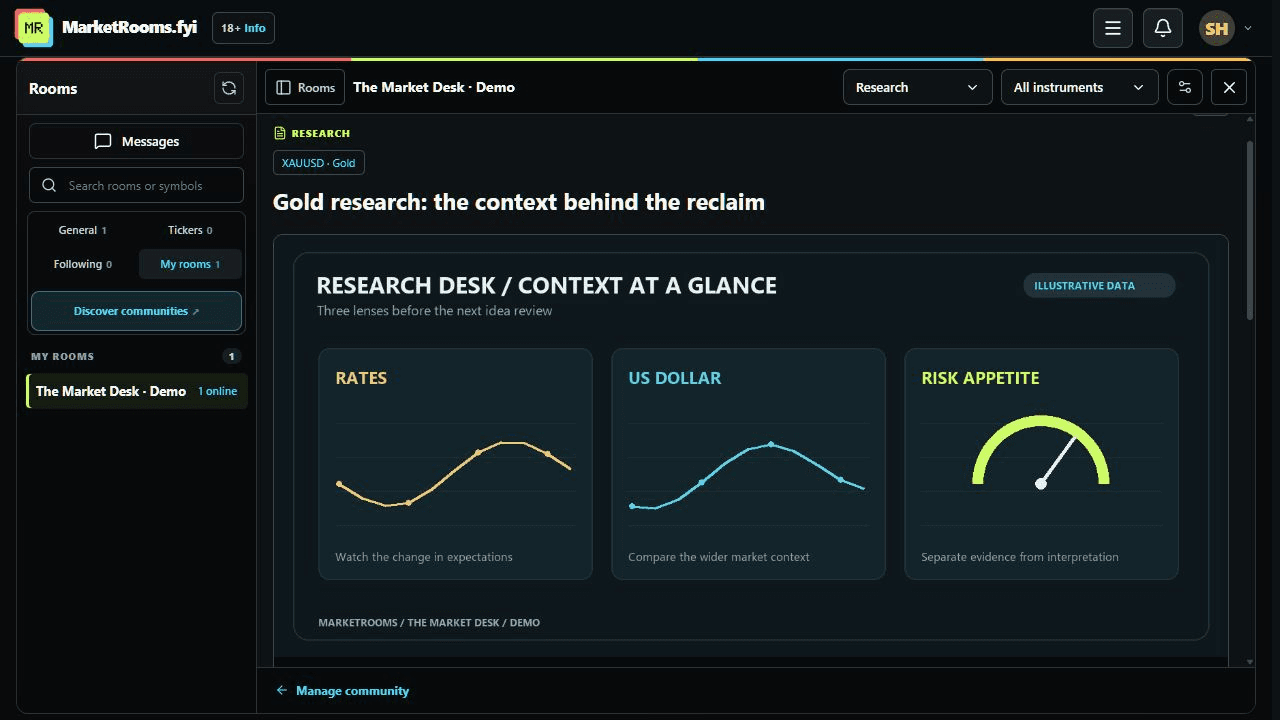
A useful discussion gives you something concrete to examine. For a chart, that might be the instrument, venue, timeframe and the author’s question. For research, look for a date, sources and a distinction between evidence and interpretation.
MarketRooms can connect community chat with ideas, research and lessons. Ideas can have dated updates; discussions can stay beside the original material. When you have access, look at how people explain changes in their thinking and respond to questions, as well as the original post.
The feature screenshots show these formats using demonstration content. Each host decides what to publish, so a product feature is not a promise that every community contains that type of material.
Understand what the visitor count means
Traders visited is a cumulative count of distinct signed-in users, based on recorded visits and available participation history. Someone who returns several times counts once. It is not a count of paid subscriptions or people online right now.
The count cannot recover visits that were never recorded, and anonymous page views are not treated as unique people. Small or new communities may have little history to show. Use the preview and the discussion itself to assess whether the group suits you.
Community aura and Long or Short votes also have a limited meaning: they reflect community feedback. Neither visitor totals nor reputation scores establish verified trading results.
Check access and membership details
Read whether access is free, invitation-based or paid. Where paid membership is offered, check the displayed price, currency, billing period, included access and cancellation information before starting checkout. Use the published terms and the host’s description to resolve questions about what you are joining.
Installing the free browser extension does not automatically give you access to every hosted community. You can use MarketRooms on the web, and use the extension to keep conversations you can access beside a supported chart.
Find the discussion rules and controls
Read the community’s own rules and the MarketRooms community guidelines. Check how disagreements, unwanted messages and reports are handled. Clear moderation expectations make it easier to participate.
Chat controls include blocking, muting and reporting. The moderation policy explains the platform’s process. Before sharing a chart screenshot, inspect it for balances, account details, orders and positions; private information is not hidden automatically.
A short checklist before you join
- Can I name the markets and discussion format this community focuses on?
- Have I read the host’s introduction and an available preview?
- Do the examples provide enough context to ask a useful question?
- Do I understand the access requirements and any membership terms?
- Do I know where to find the rules and report a problem?
When you find a suitable conversation, introduce the topic you want to discuss and ask one specific question. Our trading-chat walkthrough covers finding a room, pinning it beside your chart and sharing a chart with context.
Explore the MarketRooms trading community experience or return to the directory to compare the available previews.